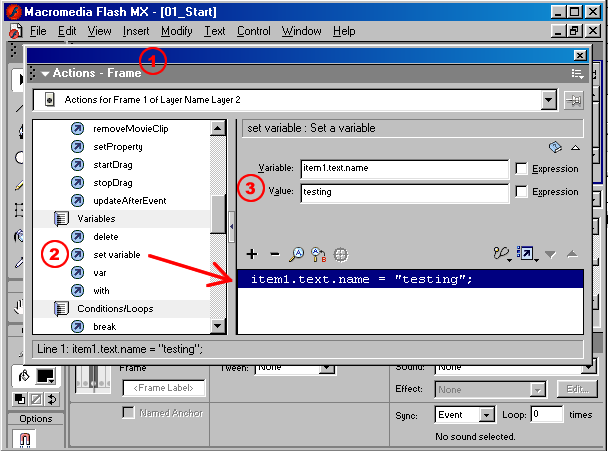
Set the name variable, which is inside the the text MovieClip which is inside the item1 MovieClip! You need to know how to create a target path through those two MovieClips and then set the variable.
Flash uses Dot Syntax to specify a target path. Identify a variable or an object with a dot (.) followed by the name of the object. The first target item1 doesn't need a dot in front of it because it is on the same timeline as the ActionScript. Add on .text for the second target object and .name for the third object.